
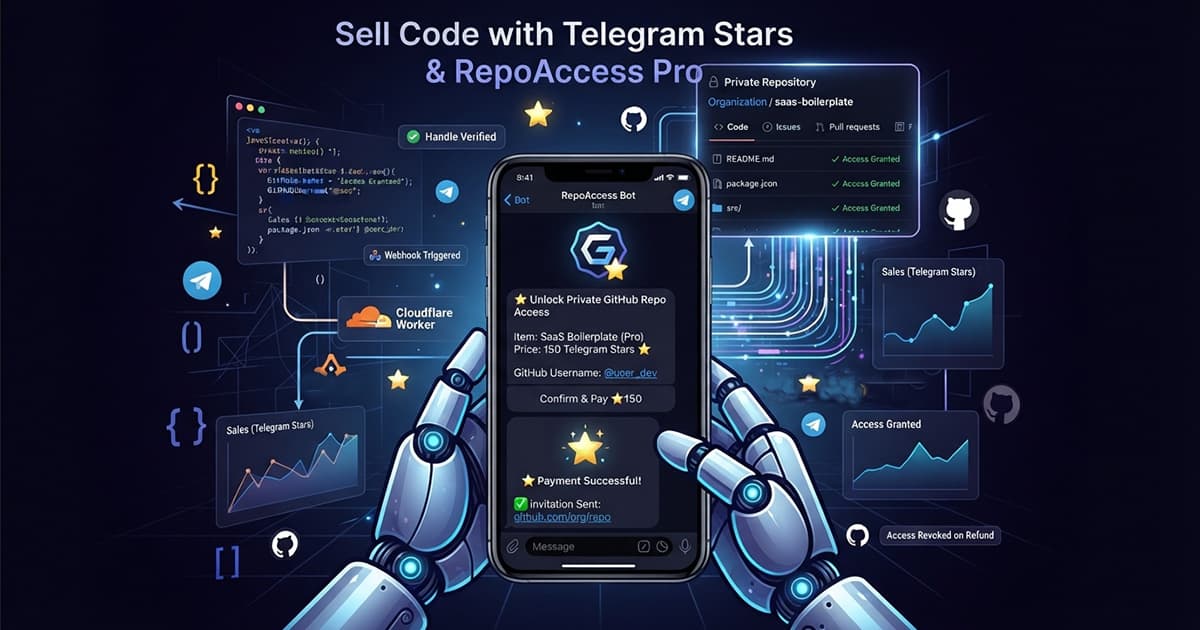
Telegram Stars to GitHub Repo Access: Sell Code With a Telegram Bot as Your Storefront
Integration page for RepoAccess Pro with Telegram Stars: what Telegram does and leaves with the seller, how the bot checks a GitHub username before payment, why every refund starts with you, and what the bot runs besides the sale.
You sell a boilerplate, a starter kit or a course that lives in a private GitHub repository, and your buyers already live in Telegram, or no card processor will take you as a seller. RepoAccess Pro is the delivery half: a Telegram Stars payment becomes a GitHub team invitation, and a refund you make through the bot takes that access away. It is a one-time licence, it runs as one Cloudflare Worker on your own account, and the bot it drives is your whole shop.
This page is what you need to know about Telegram Stars specifically before you buy. The general product, its price and the other adapters are on the RepoAccess page.
What Telegram Stars do for a code seller, and what they leave with you
Stars are Telegram’s in-app currency, and inside Telegram they are the only way to sell digital goods: Telegram’s payment rules say payments for digital goods and services must be carried out exclusively in Stars. The buyer pays inside the chat with Stars topped up beforehand, and no bank, card processor or country list sits between you and the sale. Telegram takes no commission on it, so the full invoiced amount accumulates on your bot.
What Telegram leaves with you is everything a merchant of record would carry. The same page makes the bot owner fully responsible for conflicts and disputes, and says Telegram’s own support will not help buyers with purchases made through your bot. The proceeds are Stars, not money: what a Star is worth on the way out, and the route from the bot’s balance to a wallet and a card, are in the Telegram Stars guide.
How the buyer gives their GitHub username inside the chat
There is no checkout page on this rail, because there is no web page in the buyer’s path. The bot is the storefront: the product menu, the purchase dialog, the invoice and the payment all happen in one chat, and the bot’s profile (name, description, avatar) is the shop window a buyer sees before the first tap. Telegram has no product catalog of its own, so the catalog is your worker’s config, and two or more products give the buyer a menu without any extra setup.
The bot asks for the GitHub username and checks that the account exists before it sends the invoice. A mistyped handle is refused in the chat, nothing is charged, and the buyer types it again, which makes this the one rail where a typo can never strand a payment. After payment the bot replies with the organization’s invitation link, and the one step outside Telegram is accepting that invitation on GitHub.
What a refund does, and why you are the one who makes it
Telegram sends no refund event, so there is nothing for a webhook to react to. The refund is yours to start, from a Refund button under the sale alert in your own chat, and that one tap returns the buyer’s Stars and removes their GitHub access together. Stars refunds are always for the full amount, and Stars have no chargebacks, so a dispute reaches you as a message to the bot rather than as a debit.
Two edge cases are handled on purpose. A refund made anywhere other than the bot is one the bot never learns about, so an admin command withdraws the access without touching the money. And when Telegram’s answer to a refund never comes back, the bot reports the result as unknown and leaves the access alone, because a wrong guess either strips a paying buyer or keeps a refunded one in your repository.
The bot is also your back office
Every sale arrives as a message in your own Telegram account, gated to your numeric account id, so nobody else sees it or can press its Refund button. A stats command shows your balance, sales, refunds and net for a chosen window. Publish a different bot link per channel (your site, your Telegram channel, your newsletter) and the same stats break the sales down by where they came from, net of refunds.
Support runs through the same bot. A buyer first sees your FAQ as buttons and can then write to you; the bot relays each message labelled with their handle, and your Reply goes back as the bot, so your personal account never appears. The buyer’s words are always drawn inside a quote, after everything the bot says, so a message that imitates a sale alert is visibly theirs, and the bot never stores what buyers write.
What Telegram asks of you before you sell
There is no merchant onboarding and no payments setting to configure in BotFather. There is also no test mode, so the pattern is two bots with a worker deployment each: a sandbox bot you prove changes on with a few real Stars and a real refund that returns them, and a production bot for buyers. The sandbox runs on the worker’s workers.dev address, and production is where your own domain belongs, because the bot hands buyers links to your policy pages.
The bot is built for one-to-one chats, so groups are switched off in BotFather before launch. Your Terms, Refund, Privacy and Delivery pages ship as starters with placeholders that are yours to finish. If your Cloudflare zone filters traffic by user agent or bot score, exempt the worker: Telegram’s webhook sends no user agent at all, and a rule that expects one refuses every sale without a line in the worker’s logs.
One cost works differently here than on the other rails. The bot keeps conversation state in Workers KV, so its storage use follows conversations rather than sales. A popular bot with a busy support inbox reaches the free plan’s daily write limit on far fewer sales than a web checkout would, and the Workers Paid plan is what lifts it.
What an evening of DIY does not buy
A bot that sends a Stars invoice and calls the GitHub API is an evening’s work. What the evening does not produce is the part that costs you later: an invoice sent before the handle is checked, a payment Telegram delivers twice that invites twice, a refund made outside the bot that nobody revokes, a refund whose unknown result gets guessed, and a support relay where a buyer’s text can pass for the bot’s own. Then there is the webhook re-armed with an update list inherited from an earlier setup, where the buyer taps pay and nothing happens.
The Telegram Stars adapter is part of Pro; the free AGPL core does not include it. Pro is the maintained version of all of the above, for Telegram Stars and for Paddle, Lemon Squeezy, Gumroad and Razorpay, with twelve months of updates from the day you buy, and every version you download in that window is yours to run without limit. The price and the full comparison with the free core are on the product page.
Before you start
You need a Telegram account to own the bot and receive the sales, a second Telegram account to test support, a GitHub organization with a team per product, a Cloudflare account, a second GitHub account to play the test buyer, and a few Stars for the test purchase. No bank account appears on that list. With those in hand, the guided setup walks a coding agent through BotFather, the org hardening, the deployment and the webhook in about an hour.
If you are choosing a rail because Stripe will not take you, the country guide compares the ones that will, and the full comparison covers every option on the market.
Frequently Asked Questions
Does a Telegram Stars refund revoke GitHub access automatically?
Yes, when you refund through the bot. Telegram sends no refund event, so the refund is something you start, from the Refund button under the sale alert or an admin command, and that one action returns the buyer's Stars and removes their GitHub access together. A refund made outside the bot is invisible to it, so a separate admin command withdraws the access without touching the money. Stars refunds are always for the full amount, and Stars have no chargebacks.
Is there a test mode for Telegram Stars?
Telegram has a separate test environment, but the setup deliberately does not use it. You run two bots instead, a sandbox bot and a production bot, each pointing at its own worker deployment with its own token and webhook secret. The sandbox is tested with a few real Stars and a real refund, which returns them, so one run proves the payment, the invitation and the revoke end to end.
Does the buyer see my personal Telegram account when they ask for support?
No. A buyer who taps Pay support sees your FAQ first and can then write a message, which the bot relays to you labelled with their handle. You answer with Telegram's Reply on that message, and the bot delivers your answer as the bot, so the conversation never exposes your account. The bot does not store what buyers write; it keeps only what it needs to route a reply back, for about a week.
Can one Telegram bot sell more than one product?
Yes. Telegram has no product catalog of its own, so the catalog lives in your worker's config, each product with its own title, price in Stars and GitHub team. With one product the bot opens the purchase dialog directly; with two or more it shows a product menu by itself. A link can open the chat with one product already chosen and tag the channel it was published in, so the bot's stats show what each channel earned.