
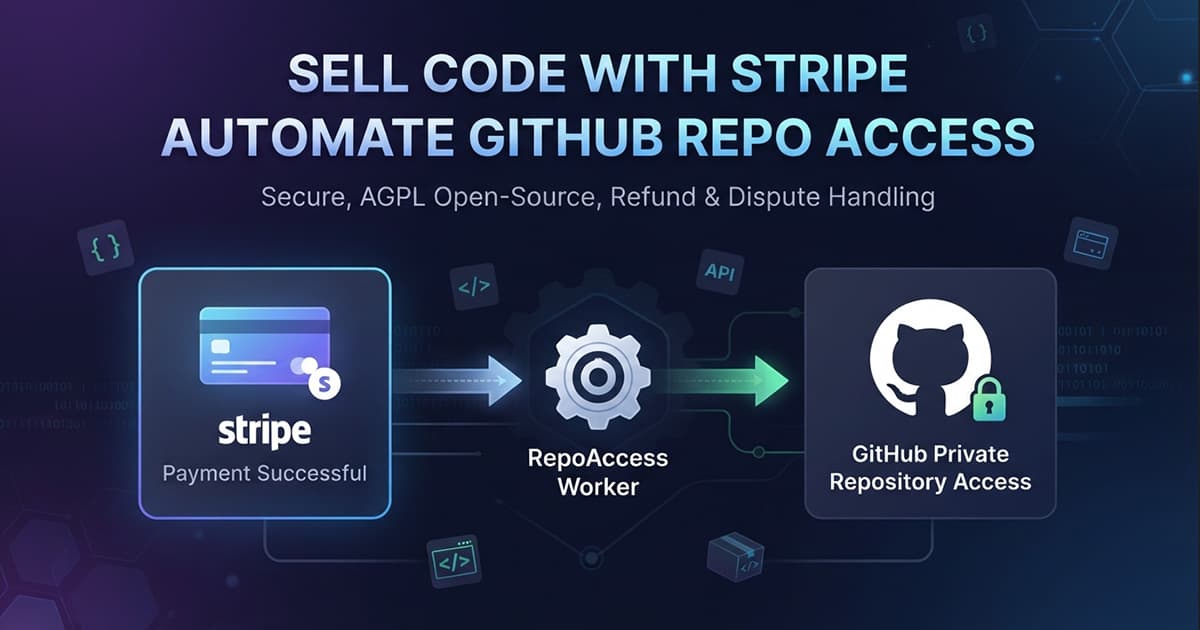
Stripe to GitHub Repo Access: Sell Code With Stripe and a Free Open-Source Worker
Integration page for RepoAccess with Stripe: what a payment aggregator leaves with the seller, how the buyer types a GitHub username on a Payment Link, what a refund and a dispute do, and what the free core covers before Pro starts.
You sell a boilerplate, a starter kit or a course that lives in a private GitHub repository, and Stripe takes you as a seller. RepoAccess is the delivery half: a Stripe payment becomes a GitHub team invitation, and a Stripe refund or dispute takes that access away. It runs as one Cloudflare Worker on your own account, and Stripe stays your processor on every sale.
Stripe is the one rail where you do not have to buy anything. The adapter ships in the free, open-source core, and this page says what that covers and where Pro starts. The product, its price and the other adapters are on the RepoAccess page.
What Stripe does for a code seller, and what it leaves with you
Stripe is a payment aggregator, not a merchant of record. It runs the checkout, moves the money and pays it out, and you stay the seller of record, so tax, invoicing and disputes are yours. The buyer pays on Stripe’s hosted checkout, reached through a Payment Link you create, and your worker is not on that path at all: it hears about the sale from Stripe’s webhook, afterwards.
Stripe onboards sellers from a fixed list of countries. If yours is not on it, the country guide compares the rails that will take you, and the five RepoAccess Pro supports each have an integration page of their own.
How the buyer gives their GitHub username on a Stripe Payment Link
You add one text field to the Payment Link, labelled GitHub username, and the buyer types the handle on Stripe’s own checkout. It arrives with the payment, and the worker sends the team invitation at once, with no page of yours in the way. There is no “Login with GitHub” and no OAuth: GitHub’s invitation can only be accepted by the account it was sent to.
The field is optional on purpose. A buyer without their GitHub account at hand can still pay, and the missing handle is collected afterwards. The one thing nothing after payment can catch is a real handle that belongs to somebody else, so it is worth one line next to your buy button saying that the GitHub username decides who gets access.
The redirect that lets a buyer fix their own typo
Stripe does something most payment providers do not: after payment it can send the buyer to a page of yours with the transaction id in the URL. RepoAccess uses that to resolve the purchase. A buyer whose handle went through lands on a short “accept the GitHub invite” page, and a buyer who skipped the field or typed a handle that does not exist lands on a one-time claim page on your worker.
The claim page reads the username back with a link to that GitHub profile and asks the buyer to confirm it, which catches a real handle that is simply the wrong person. While a grant is still finishing, the buyer sees a “setting up your access” page that refreshes itself, for up to about a minute. None of this puts you in the loop: the typo is fixed by the buyer, on your domain or on the worker’s workers.dev address.
What a Stripe refund and a dispute do to the buyer’s access
A refund revokes the product that was refunded, not the buyer. A customer who owns two of your products and returns one keeps the other, a pending invitation is cancelled, and the revoke reconciles against GitHub’s live team membership rather than a stored flag. Under the shipped policy any refund revokes, and since Stripe reports full and partial refunds accurately, a policy that revokes on full refunds only is one you can rely on here.
Disputes are where the aggregator model shows. Stripe hands a dispute to you as its own event, and RepoAccess treats it exactly like a refund, so a disputed sale loses its access without anyone touching GitHub. Payments by bank debit or voucher are granted when Stripe confirms the money arrived, not when the checkout closed.
What Stripe asks of you before you sell
No custom domain: the buyer’s only contact with the worker is the claim path, and that works on workers.dev. Test mode needs no account activation, so the whole chain (payment, invitation, refund, revoke and the typo path) is proven with Stripe’s test cards before any real money moves.
Going live means creating the product, the Payment Link and the webhook again in live mode, because Stripe keeps test and live data apart. Two values from the live dashboard, the product id and the webhook signing secret, go into the worker’s production config. One real purchase and one refund then prove the live chain, at the cost of a processing fee Stripe does not return.
If your Cloudflare zone filters traffic by user agent, bot score or ASN, exempt the worker. Stripe’s webhook does not look like a browser and delivers from AWS address space, so a rule aimed at datacenter traffic refuses every sale without a line in the worker’s logs.
What the free core gives you, and where Pro starts
The core is the complete engine: the Stripe adapter, the durable grant and revoke, the claim page and the typo path, and the guided setup a coding agent runs without seeing your secrets. It is licensed under the AGPL, which asks nothing of a seller who runs it unmodified to sell their own repositories. If you sell through Stripe and are happy to self-host, the core is the whole product.
Pro starts where that stops being enough. It ships designed theme presets for every page the buyer sees and hosted policy pages, a ready-made service another Worker of yours can call over a service binding, and proprietary licence terms for code you cannot publish under the AGPL. It is maintained: Stripe rotates signing secrets and sends two at once during the switch, and twelve months of updates is what keeps the adapter current as Stripe changes. The same install also carries Paddle, Lemon Squeezy, Gumroad, Razorpay and Telegram Stars, idle until you map a product to one of them.
Before you start
You need a Stripe account in test mode, a GitHub organization with a team per product, a free Cloudflare account, a second GitHub account to play the test buyer, and Node and git. Clone the core, run the guided setup in the coding agent you already use, and budget about an hour if none of those accounts exists yet.
The launch write-up walks the architecture behind the adapter, and the full comparison sets RepoAccess against every other way to sell private repo access.
Frequently Asked Questions
Is the RepoAccess Stripe adapter free?
Yes. The Stripe adapter ships in RepoAccess core, which is free and open source under the AGPL, together with the whole grant and revoke engine, the claim page and the guided setup. A seller on Stripe who is happy to self-host can run it without buying anything. Pro licenses the same code on proprietary terms and adds designed buyer pages, a ready-made embeddable service, five more providers and a year of maintained updates.
Can a buyer type their GitHub username on a Stripe Payment Link?
Yes. A Payment Link takes custom fields, so you add a text field labelled GitHub username and the handle arrives with the payment, which lets the worker send the team invitation at once. The field is left optional on purpose: a buyer who skips it or types a handle that does not exist is sent by Stripe's post-payment redirect to a claim page on your worker, where they enter it once and confirm it.
Does a Stripe refund or dispute revoke GitHub access automatically?
Yes, both. Under the shipped policy any refund revokes, and because Stripe reports a full refund as full, you can switch to revoking on full refunds only and trust it. A dispute is its own event and revokes the same way, since Stripe is not a merchant of record and does not absorb disputes for you. The revoke is scoped to the product that was refunded, a pending invitation is cancelled, and the check is made against GitHub's live team membership, within a 180-day window after the sale.
Does RepoAccess work with Stripe Managed Payments?
Not proven yet. The setup creates the Payment Link with managed payments switched off, and that is the configuration the adapter has been run against with real money. Managed Payments makes Stripe the merchant of record, and on paper its sales arrive as the same checkout events, but no live Managed Payments account has been through the adapter, so treat it as untested until that changes.