
GitHub App vs Personal Access Token for Automated Private-Repo Access
Comparison page for sellers automating private GitHub repo access: what a fine-grained personal access token and a GitHub App installation token each need, how long they live, whose they are, the rate limits and invitation cap that apply to both, why RepoAccess runs on a fine-grained PAT, and when an App is the better key.
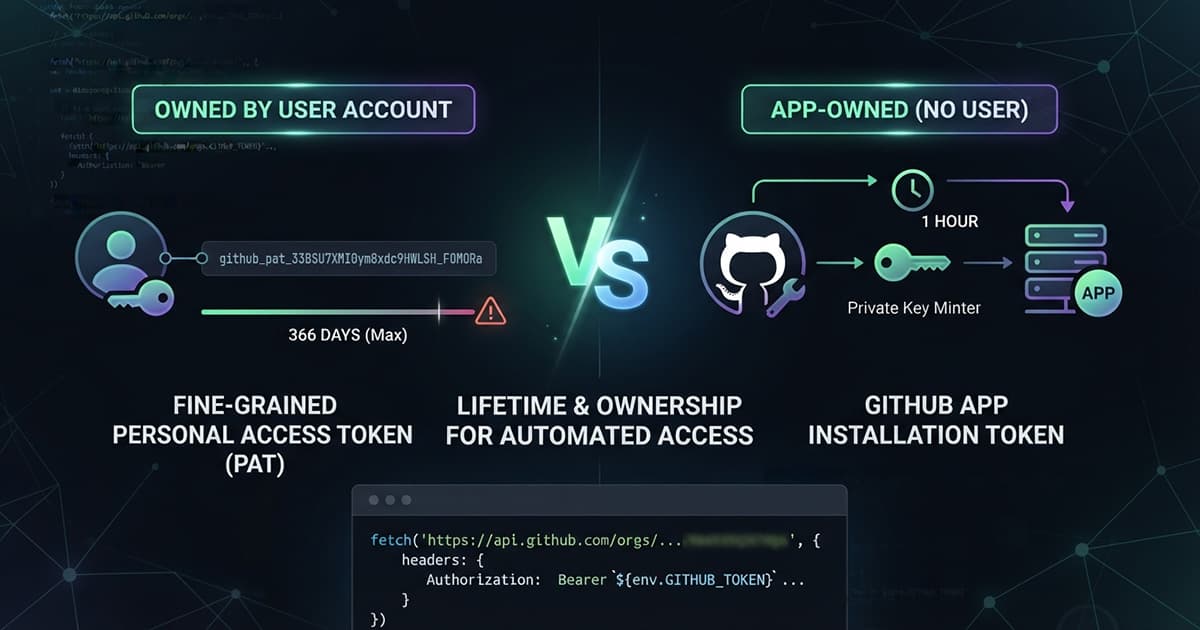
A fine-grained personal access token can live up to 366 days under an organization’s default policy. A GitHub App installation token lives for one hour. Both can add a buyer to the team that holds your private repo, and GitHub’s own guidance points long-lived integrations at the App. RepoAccess ships the token anyway, and this page says why, and when you should want the other key.
GitHub App vs personal access token for automated private-repo access: same calls, a different key
Selling access to a private repository comes down to team membership. The buyer joins the team that can read the repository, and leaves it when the money goes back. Everything a delivery worker does on GitHub is a variation of that, and GitHub accepts every one of those calls from both kinds of key.
The permission is the same too: one organization permission, Members, with write access. So the choice is not about capability. It is about how long a key lives, who it belongs to, and what it takes to keep it valid.
TL;DR
- Both a fine-grained PAT and a GitHub App installation token can grant and revoke team membership, with Members: write
- A fine-grained PAT lives up to 366 days and belongs to the account that made it
- An installation token lives one hour, belongs to no person, and is minted from a private key
- RepoAccess uses a fine-grained PAT today; an App suits several owners, turnover or a short-lived-credential rule
The calls a repo-access worker makes
Granting access is one request. Add or update team membership puts the buyer in the team; if they are not in the organization yet, GitHub emails them an invitation and the membership stays pending until they accept. RepoAccess makes that call like this:
const res = await fetch(
  `https://api.github.com/orgs/${org}/teams/${teamSlug}/memberships/${username}`,
  {
    method: 'PUT',
    headers: {
      Authorization: `Bearer ${env.GITHUB_TOKEN}`,
      Accept: 'application/vnd.github+json',
      'X-GitHub-Api-Version': '2022-11-28',
      'User-Agent': 'repoaccess-worker', // GitHub rejects requests without one
    },
  },
)
Revoking takes a few more. The worker removes the buyer from the team, lists the organization’s pending invitations and cancels theirs, and removes their organization membership once no team of yours still entitles them. Each of those endpoints lists fine-grained personal access tokens and GitHub App installation tokens among the tokens it accepts, and asks for Members: write.
No repository permission is involved, because the team carries the access to the repository. That does not make a leaked key harmless: Members: write can put any account into the team, so the key still guards your code.
The fine-grained PAT: one secret, one owner, one expiry
A fine-grained personal access token is created in your account settings, with your organization as the resource owner and Members read and write as its only organization permission. It goes into the worker as a single secret, and every request carries it as a bearer token, as in the call above.
Its lifetime is set by the organization. The default policy caps fine-grained tokens at 366 days, an owner can set a shorter maximum, and a token past it is blocked. When it expires, grants and revokes stop until you issue a new one with the same permission, so the date goes in a calendar the day you create it.
The token belongs to the account that created it. A token an owner creates needs no administrator approval, even where members’ tokens do, and it shares that account’s limit of 5,000 REST requests per hour. If that account ever lost owner rights, the token would lose them with it.
The organization-side settings that make this safe (fine-grained tokens allowed, approval required for members, a maximum lifetime) belong to the organization setup, and the boilerplate setup guide walks through them with the rest of it.
What a GitHub App installation token changes
A GitHub App holds a private key instead of a token. The worker signs a short JSON Web Token with that key, exchanges it for an installation access token, and uses that token for an hour. Nothing about it belongs to a person, so an owner leaving the organization does not break it.
The JWT rules are strict: RS256, the app’s client ID or app ID as the issuer, and an expiry no more than ten minutes ahead. In a Cloudflare Worker, Web Crypto does the signing, with one catch. GitHub hands you the private key in PKCS#1 format, and importKey only takes RSA private keys as PKCS#8, so the key is converted once before it becomes a secret:
openssl pkcs8 -topk8 -nocrypt -in app.private-key.pem -out app.pkcs8.pemThen the exchange looks like this. It is not RepoAccess code; it is what the App path takes in a Worker:
const enc = new TextEncoder()

function b64url(bytes: Uint8Array): string {
  let s = ''
  for (const b of bytes) s += String.fromCharCode(b)
  return btoa(s).replace(/\+/g, '-').replace(/\//g, '_').replace(/=+$/, '')
}

async function appJwt(clientId: string, pkcs8Pem: string): Promise<string> {
  const der = Uint8Array.from(atob(pkcs8Pem.replace(/-----[^-]+-----|\s/g, '')), (c) => c.charCodeAt(0))
  const key = await crypto.subtle.importKey(
    'pkcs8',
    der,
    { name: 'RSASSA-PKCS1-v1_5', hash: 'SHA-256' },
    false,
    ['sign'],
  )
  const now = Math.floor(Date.now() / 1000)
  const header = b64url(enc.encode(JSON.stringify({ alg: 'RS256', typ: 'JWT' })))
  const payload = b64url(enc.encode(JSON.stringify({ iat: now - 60, exp: now + 540, iss: clientId })))
  const sig = await crypto.subtle.sign('RSASSA-PKCS1-v1_5', key, enc.encode(`${header}.${payload}`))
  return `${header}.${payload}.${b64url(new Uint8Array(sig))}`
}

async function installationToken(jwt: string, installationId: string): Promise<string> {
  const res = await fetch(`https://api.github.com/app/installations/${installationId}/access_tokens`, {
    method: 'POST',
    headers: {
      Authorization: `Bearer ${jwt}`,
      Accept: 'application/vnd.github+json',
      'X-GitHub-Api-Version': '2022-11-28',
      'User-Agent': 'my-worker',
    },
  })
  if (!res.ok) throw new Error(`installation token request failed: ${res.status}`)
  return ((await res.json()) as { token: string }).token
}
The installation token then replaces GITHUB_TOKEN in the same Authorization header. The private key becomes the secret that matters; GitHub calls it the single most valuable secret for an app, and a leaked key mints fresh tokens until you revoke it. The rate limit is the other gain: an installation starts at 5,000 requests per hour and can grow to 12,500, or 15,000 on GitHub Enterprise Cloud.
I have run the grant and revoke path with a fine-grained token only. GitHub lists installation tokens as accepted on the same endpoints, but its wording for the invitation step is written around an organization owner, so test the invitation of a brand-new buyer before you rely on an App for it.
Rate limits and the invitation cap at indie volume
Neither key’s hourly limit is what stops a small seller. A sale costs a handful of calls, a refund a few more, and 5,000 requests an hour is far above that. The limits worth knowing apply to both keys equally.
The first is the organization invitation cap. A free organization in its first month can send 50 invitations a day, and the ceiling rises to 500 once it passes a month or moves to a paid plan. A launch-day spike in a brand-new organization hits that ceiling whatever key sends the invitations. The second is GitHub’s secondary limit of no more than 80 content-creating requests per minute and 500 per hour, which a worker has to back off from with either key.
Why RepoAccess ships a fine-grained PAT
A seller sets RepoAccess up once, usually alone, often with a coding agent driving the steps. One token with one permission, pasted by the seller into the worker’s secrets file, is the shortest path that keeps the key out of the agent’s hands. An App adds a registration, an installation, a key conversion and a JWT exchange at least once an hour, for a benefit a solo organization owner mostly does not need.
The seller is also the organization owner. The failure a PAT invites, a departed employee’s token taking the integration down with it, does not exist when the only owner is the person selling. What remains is the expiry, and that is a yearly rotation with a date you already know.
So today RepoAccess authenticates to GitHub with a fine-grained personal access token only. The free core and RepoAccess Pro work the same way here, whichever payment provider sends the sale.
When a GitHub App is the better key
An App earns its extra setup in three situations. The first is an organization with several owners or staff who come and go, where a token tied to one person is a key that walks out of the door with them. The second is a security rule that forbids credentials living for months, where a one-hour token is the whole point.
The third is volume. An installation’s limit grows with the organization, while a personal token stays at 5,000 an hour shared with everything else that account does. None of these describes a solo seller with one organization and one product, which is who the fine-grained token suits.
| Fine-grained PAT | GitHub App installation token | |
|---|---|---|
| What the worker stores | One token | A private key, plus the app and installation IDs |
| Lifetime | Up to 366 days under the default policy | One hour, minted on demand |
| Belongs to | The account that created it | No person |
| Permission for repo access | Members: write | Members: write |
| REST rate limit | 5,000 per hour, shared with the account | 5,000 to 12,500 per hour (15,000 on Enterprise Cloud) |
| Invitation cap | 50 or 500 per day, per organization | The same |
| RepoAccess support | Yes | Not today |
Every provider page, and the other comparisons as they are written, is collected on the RepoAccess guides page.
Frequently Asked Questions
Should I use a GitHub App or a personal access token to add buyers to a private repo automatically?
Either works for the calls that matter. GitHub accepts a fine-grained personal access token and a GitHub App installation token on the team-membership and organization-invitation endpoints, with the same permission: Members, write. The difference is lifetime and ownership. A fine-grained PAT lives up to 366 days under an organization's default policy and belongs to the account that created it; an installation token lives one hour and belongs to no person. A solo seller who owns the organization is well served by a PAT; a team with several owners, turnover or a short-lived-credential policy is better served by an App.
What permissions does a token need to invite a buyer to a GitHub team?
One organization permission: Members, read and write. The call that grants access is PUT /orgs/{org}/teams/{team_slug}/memberships/{username}; for someone outside the organization, GitHub sends an email invitation and the membership stays pending until they accept. Revoking uses the same permission to remove team and organization membership and to list and cancel pending invitations. No repository access is needed, because the team carries the repository access. RepoAccess's fine-grained token is created with Repository access set to Public repositories, the minimal option, and Members read and write as its only organization permission.
How long does a GitHub App installation access token last?
One hour. You mint it by signing a JSON Web Token with the app's private key (RS256, with an expiry no more than 10 minutes in the future and the app's client ID or app ID as the issuer) and posting that JWT to /app/installations/{installation_id}/access_tokens. The token can be narrowed to specific repositories and permissions, never widened beyond what the app was granted. Because it expires within the hour, a leaked installation token is useful to an attacker for far less time than a leaked personal access token, while the private key that mints it becomes the secret to protect.
How long can a fine-grained personal access token last in an organization?
Up to 366 days under the default organization policy, which is also the longest maximum an owner can set; organizations can set a shorter one, and a token that exceeds it is blocked from the organization. Classic tokens have no expiry requirement at all, which is one reason to prefer fine-grained ones. When the token expires, every call the worker makes fails until a new token with the same permissions replaces it, so the expiry date belongs in a calendar. An owner-created fine-grained token needs no administrator approval, even when the organization requires approval for members' tokens.
Are GitHub rate limits different for a GitHub App and a personal access token?
Yes. A personal access token shares its user's limit of 5,000 REST requests per hour. A GitHub App installation starts at 5,000 per hour, gains 50 per hour for each repository beyond 20 and each organization user beyond 20, and caps at 12,500, or 15,000 on GitHub Enterprise Cloud. Both are also subject to secondary limits of no more than 80 content-creating requests per minute and 500 per hour. For selling repo access these rarely decide anything: a sale costs a handful of calls, and the organization invitation cap of 50 or 500 per day applies whichever key you use.
Does RepoAccess support GitHub App authentication?
Not today. RepoAccess authenticates to GitHub with one fine-grained personal access token, stored as a Worker secret, with Members read and write on the seller's organization as its only permission. That keeps setup to one secret you paste yourself and keeps JWT signing and private-key handling out of the worker. The trade is a token you rotate before it expires, up to once a year, and a credential tied to the account that created it, which for a solo seller is the organization owner anyway.
Resources & Further Reading
- GitHub Docs - Add or update team membership for a user
- GitHub Docs - Create an organization invitation
- GitHub Docs - Setting a personal access token policy for your organization
- GitHub Docs - Generating an installation access token for a GitHub App
- GitHub Docs - Generating a JSON Web Token (JWT) for a GitHub App
- GitHub Docs - Rate limits for the REST API
- GitHub Docs - Deciding when to build a GitHub App
- RepoAccess Core - GitHub repository
- RepoAccess Pro - product page